Turn Canva class notes into flashcards
Connect your Canva account to Schwanki, pick the design your tutor shared, and Schwanki reads its text and suggests vocabulary cards. You approve the words you want, then review them in a swipe feed. Schwanki never changes anything in Canva.
Start free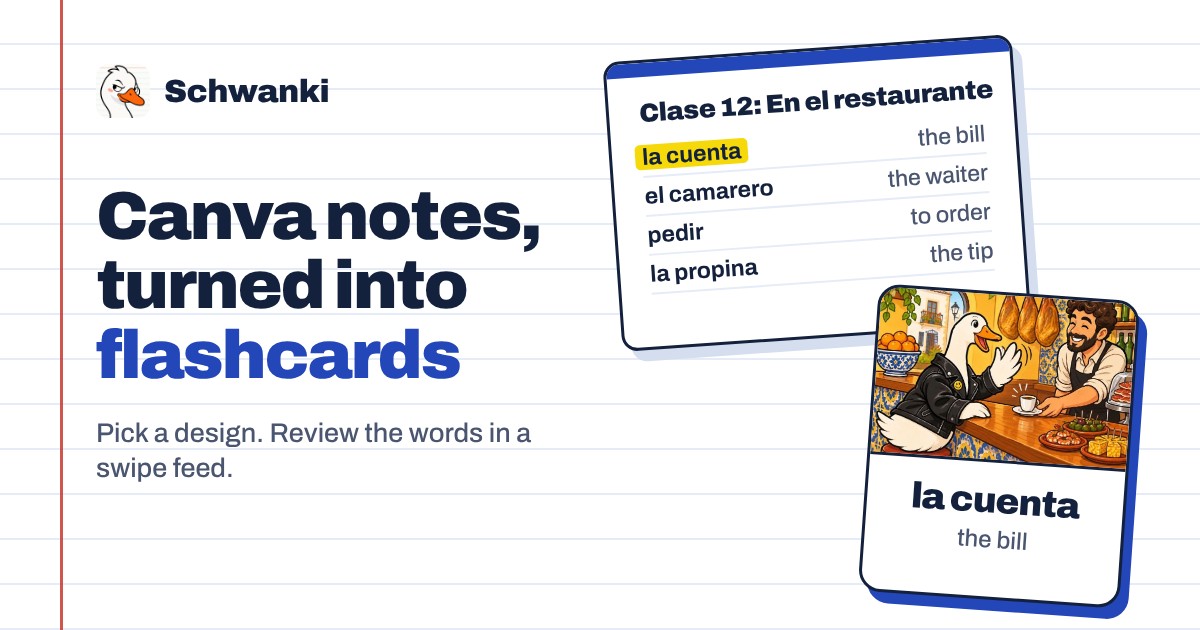
How to set it up
- Open Add source. In Schwanki on the web, go to Decks & notes and choose Add source, then the Canva tab. In the iOS app, start a new deck and choose Canva notes.
- Connect Canva. Choose Connect Canva and approve access on Canva’s own screen. Schwanki asks for two read-only permissions: listing your designs, and reading the one you pick.
- Pick a design. Your designs appear with their thumbnails, including ones shared with you. Pick the one with your lesson notes and choose the language you’re learning.
- Approve the words. Reading takes up to a minute. The words Schwanki found wait in your Inbox, where you keep, correct or skip each one.
- Review. Approved cards join your review feed and come back on an FSRS schedule.
Good to know
What Schwanki reads
Schwanki exports the design you pick as a PDF and reads the text in it. It lists your other designs by title and thumbnail so you can choose one, and it doesn’t store that list.
Limits
A design’s PDF export can be up to 10 MB. A design with no text returns no words. The first 10 documents you import each day are free to read, and each one after that costs 1 credit.
Without connecting
In Canva, choose Share, then Download, and pick PDF. Upload the file in Schwanki under PDF, slides or screenshot. You get the same word suggestions. Use this route too if Connect Canva isn’t offered on your account yet.
Disconnecting
Choose Disconnect Canva on the Canva tab. Schwanki revokes its access at Canva and deletes the stored connection. Cards you already made stay in your decks.
Common questions
Can Schwanki edit or delete my Canva designs?
No. Schwanki asks Canva for read-only access. It can list your designs and export the one you pick as a PDF.
Does my tutor need a Schwanki account?
No. Your tutor shares the design with your Canva account, or sends you the PDF. Everything else happens on your side.
Is importing from Canva free?
Reading the first 10 documents a day is free. AI pictures and audio for cards are optional and use credits.